CloudTrail
| contents | page |
|---|---|
| Event Bridge Integration | AWS CloudTrail EventBridge Integration |
Overview
AWS CloudTrail provides governance, compliance, and audit capabilities for your AWS account.
-
Enabled by default for all AWS accounts.
-
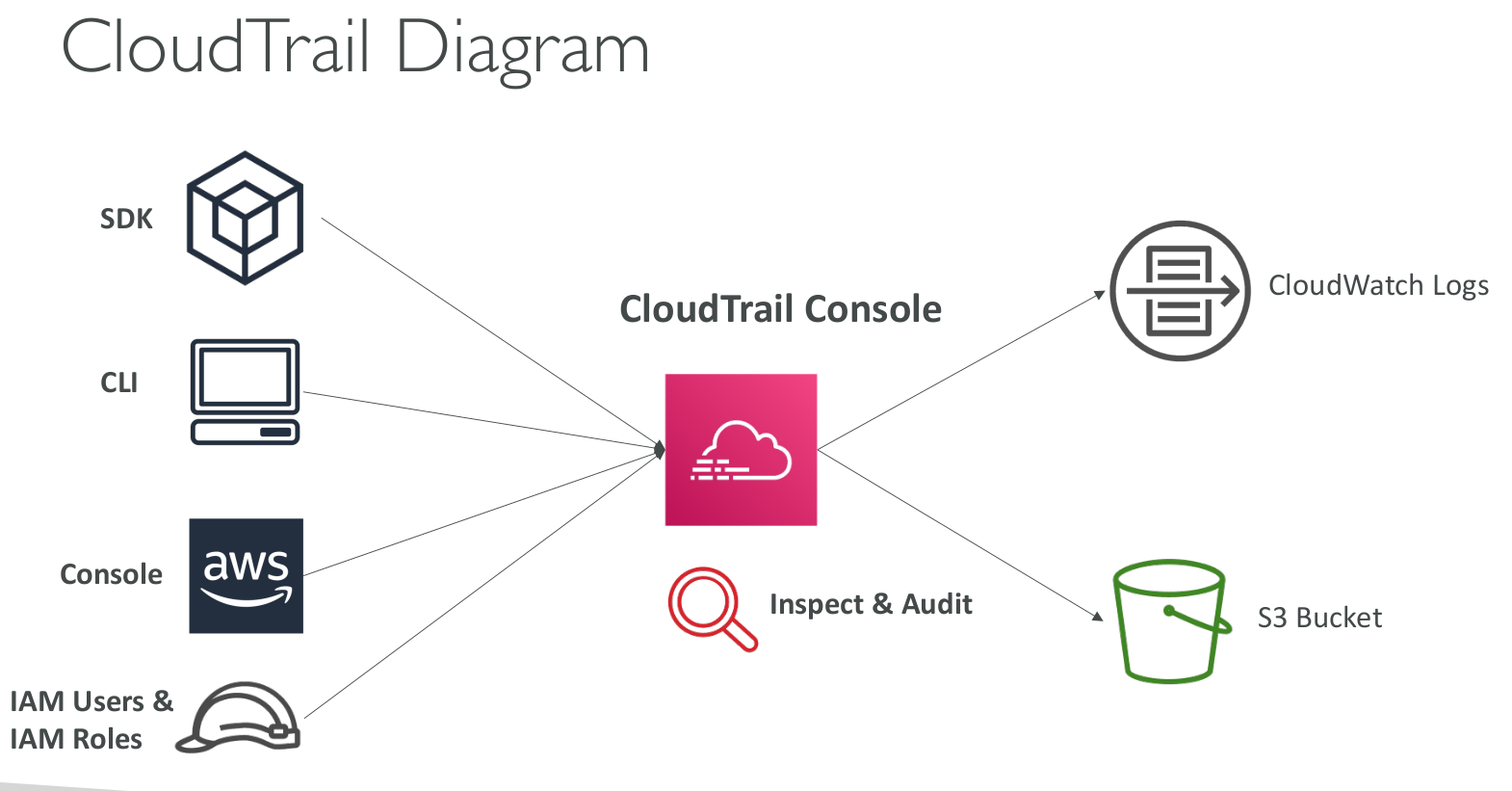
Tracks API calls and events from various sources:
- AWS Console
- AWS SDKs
- AWS CLI
- IAM Users & Roles
- AWS Services
Log Storage
CloudTrail logs can be stored in: - Amazon S3 – For long-term storage. - CloudWatch Logs – For real-time monitoring and alerting.
Features
- A history of events and API calls made within your AWS account.
- Multi-region support: By default, logs from all regions are collected.
- Can be restricted to a single region if needed.
Use Case
- Security & Audit: Helps track changes, user activity, and API requests.
- Troubleshooting: If a resource is deleted in AWS, CloudTrail logs provide insights.
Diagram
Event Types
1. Management Events
Operations on AWS resources (logged by default).
- Examples:
- Configuring security (IAM AttachRolePolicy)
- Configuring routing (EC2 CreateSubnet)
- Setting up logging (CloudTrail CreateTrail)
- Read vs. Write Events: Can log separately.
2. Data Events
Not logged by default (high volume).
- Amazon S3: Object-level activity (GetObject, PutObject, DeleteObject)
- AWS Lambda: Function execution (Invoke API)
3. CloudTrail Insights Events
Detects unusual activity in your account.
- Finds issues like:
- Incorrect resource provisioning
- Service limit hits
-
IAM bursts & maintenance gaps
-
How it works:

- Analyzes normal management events to create a baseline
- Detects anomalies in write events
- Sends alerts to S3 & EventBridge
Event Retention
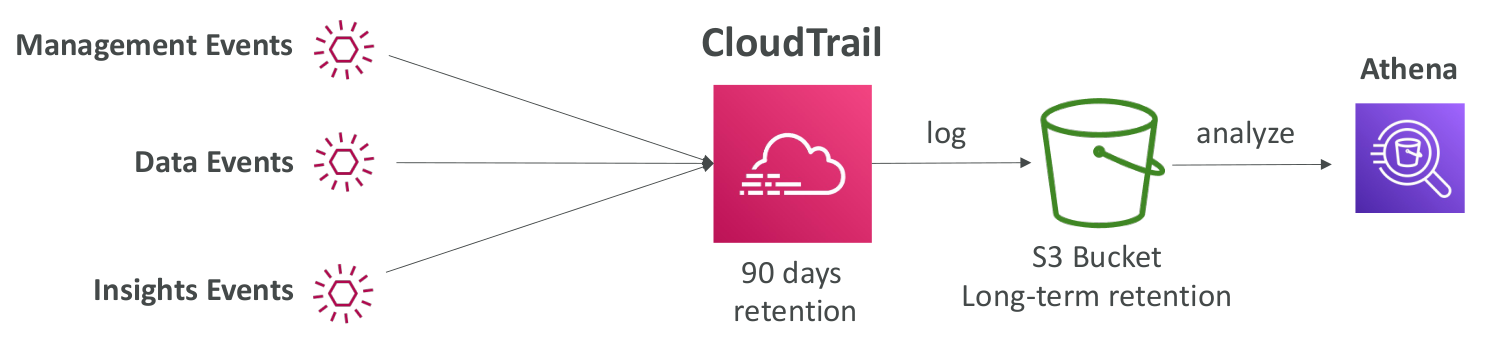 - 90-day retention in CloudTrail
- For long-term storage:
- Store logs in Amazon S3
- Analyze with Athena
Log Storage
- Amazon S3 – Long-term storage
- CloudWatch Logs – Real-time monitoring
Use Case
If a resource is deleted, check CloudTrail logs first!
CloudTrail Event History - Workflow
➡ User performs an action (e.g., creates an EC2 instance, modifies an IAM policy).
⬇
➡ AWS CloudTrail records the event automatically.
⬇
➡ Event History stores management events for 90 days (accessible via AWS Console, CLI, or API).
⬇
➡ User can filter events based on username, event source, resource, etc.
⬇
➡ If long-term storage is needed:
- Create a CloudTrail trail to log events to S3.
- Use Athena for querying historical logs.