🔵 Azure Storage Account — Full End-to-End Tutorial

1️⃣ What is an Azure Storage Account? (Core Concept)
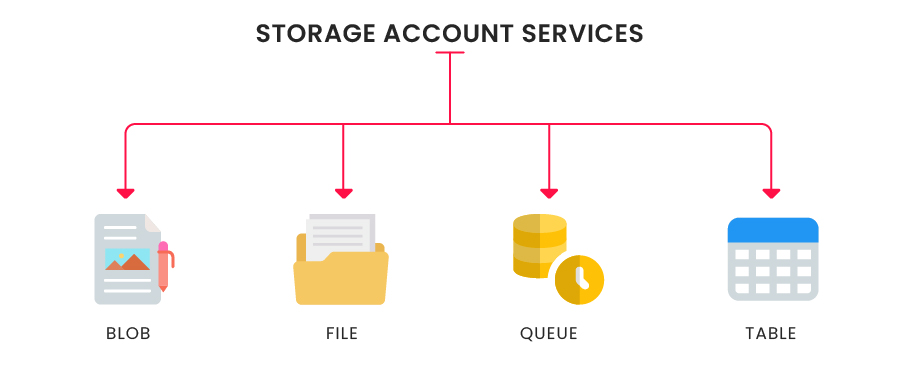
A Storage Account is the top-level container in Azure Storage.
Inside ONE storage account, you can have:
- Blob Storage
- File Shares
- Queues
- Tables
👉 You cannot use Blob/File without a Storage Account
Think of it like:
2️⃣ Types of Storage Accounts (Very Important)
| Type | Description | When to use |
|---|---|---|
| StorageV2 (General Purpose v2) | Latest & recommended | 99% of cases |
| BlobStorage | Only blob workloads | Rare |
| FileStorage | Premium file shares | High IOPS |
| BlockBlobStorage | Premium blobs | Media / big data |
✅ Always choose StorageV2 unless you have a reason
3️⃣ Redundancy Options (Data Safety)
| Option | Copies | Region | Cost |
|---|---|---|---|
| LRS | 3 | Same DC | 💲 |
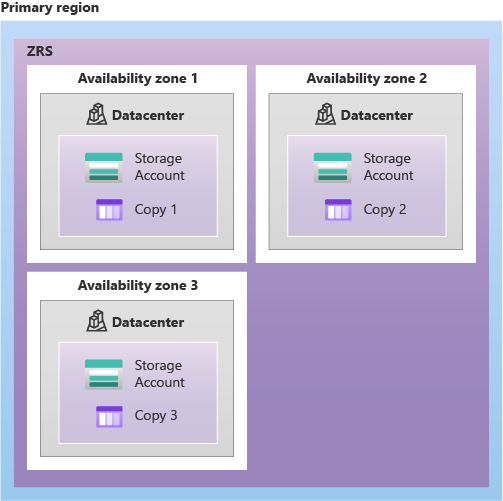
| ZRS | 3 | Same region | 💲💲 |
| GRS | 6 | Cross-region | 💲💲💲 |
| RA-GRS | 6 + read | Cross-region | 💲💲💲💲 |
👉 Learning / Dev → LRS
👉 Production critical → ZRS / GRS
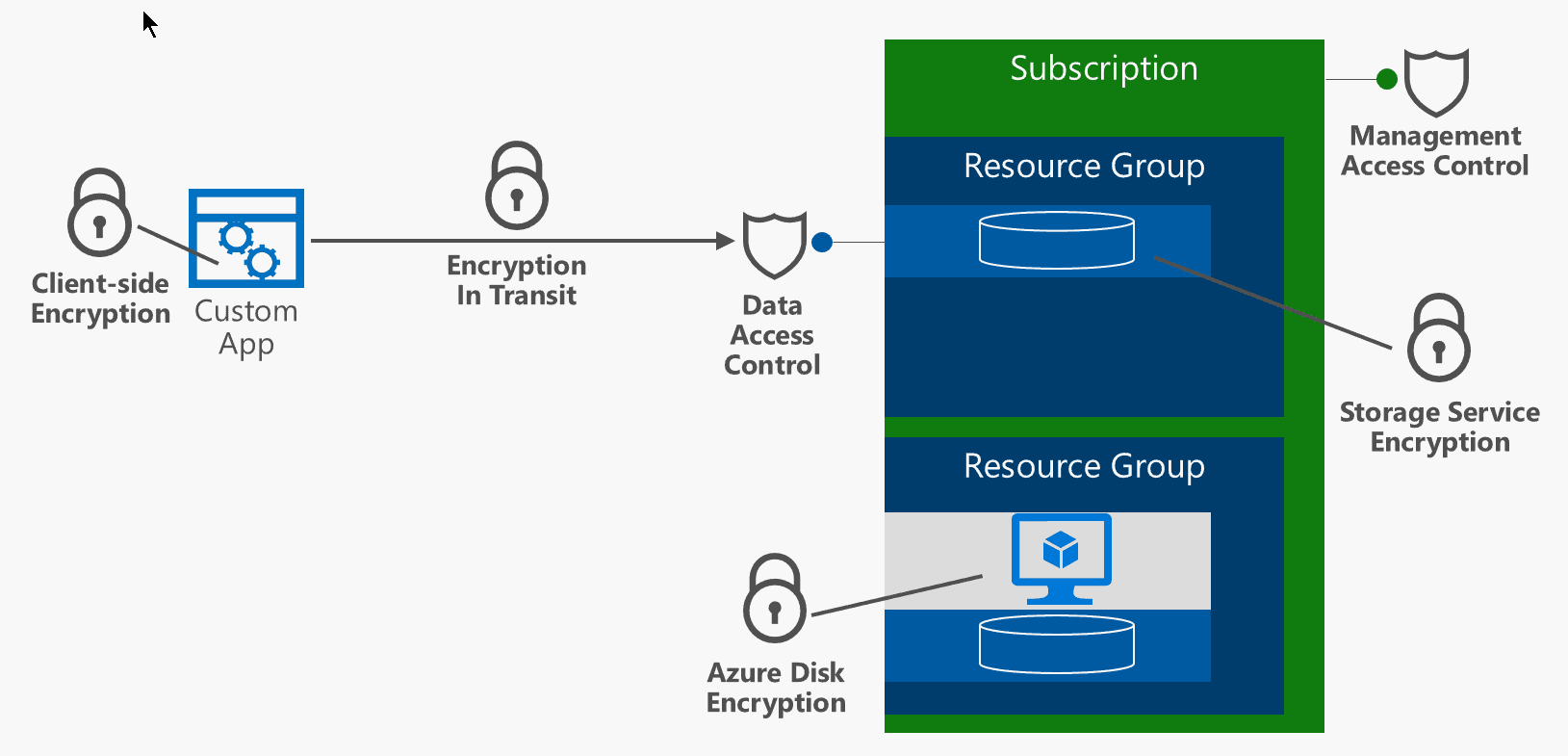
4️⃣ Security Models (How Access Works)
Storage Account supports 3 access methods:
- Access Keys ❌ (legacy, avoid)
- SAS Tokens ⚠️ (temporary)
- Azure AD / Managed Identity ✅ (best)
📌 Modern best practice:
Disable public access + use Managed Identity
5️⃣ Create Storage Account (Azure CLI – Recommended)
Step 1: Login
Step 2: Create Resource Group
Step 3: Create Storage Account
STORAGE=staccount$RANDOM

az storage account create \
  --name $STORAGE \
  --resource-group rg-storage-demo \
  --location eastus \
  --sku Standard_LRS \
  --kind StorageV2 \
  --access-tier Hot
✅ You have now created a Storage Account
6️⃣ Verify Storage Account
Check:
- Kind → StorageV2
- SKU → Standard_LRS
- Location
7️⃣ Important Storage Account Settings (Must Know)
🔹 1. Access Keys
⚠️ Never hardcode keys in apps
🔹 2. Disable Public Network Access (Security)
az storage account update \
  --name $STORAGE \
  --resource-group rg-storage-demo \
  --public-network-access Disabled
✔️ Storage is now private-only
🔹 3. Enable Secure Transfer (HTTPS only)
🔹 4. Minimum TLS Version
az storage account update \
  --name $STORAGE \
  --resource-group rg-storage-demo \
  --min-tls-version TLS1_2
8️⃣ Authentication Using Azure AD (Best Practice)
Assign role to yourself:
az role assignment create \
  --assignee $(az ad signed-in-user show --query id -o tsv) \
  --role "Storage Blob Data Owner" \
  --scope $(az storage account show \
    --name $STORAGE \
    --resource-group rg-storage-demo \
    --query id -o tsv)
✔️ Now you can access storage without keys
9️⃣ Networking Options (High Level)
Storage Account can be accessed via:
| Mode | Description |
|---|---|
| Public endpoint | Internet access |
| Firewall rules | IP based |
| Service Endpoint | Legacy |
| Private Endpoint | Modern & secure |
We’ll deep-dive Private Endpoint later — for now, know it exists.
🔟 Monitoring & Logs (Basic Awareness)
Storage Account integrates with:
- Azure Monitor
- Diagnostic settings
- Log Analytics
You can enable later for:
- Read/write logs
- Authentication logs
- Latency metrics
1️⃣1️⃣ Cost Model (Very Important)
You pay for:
- Storage used (GB)
- Transactions (read/write)
- Data egress (outbound)
- Redundancy level
💡 Blob/File pricing depends on storage account tier
1️⃣2️⃣ Deleting Storage Account (Cleanup)
⚠️ Deletes EVERYTHING inside it
🧠 Final Mental Model (Remember This)
- Storage Account = foundation
- Everything else lives inside it
- Security & networking decisions start here
- Wrong choice here → pain later
✅ What You Now Understand
✔️ What a Storage Account is ✔️ Types & redundancy ✔️ Security models ✔️ How to create via CLI ✔️ Best practices for real projects