🔴 Red Hat OpenShift Components (Explained Clearly)
Since you're already working with AWS infra, think of OpenShift as a managed Kubernetes control system with extra enterprise layers.
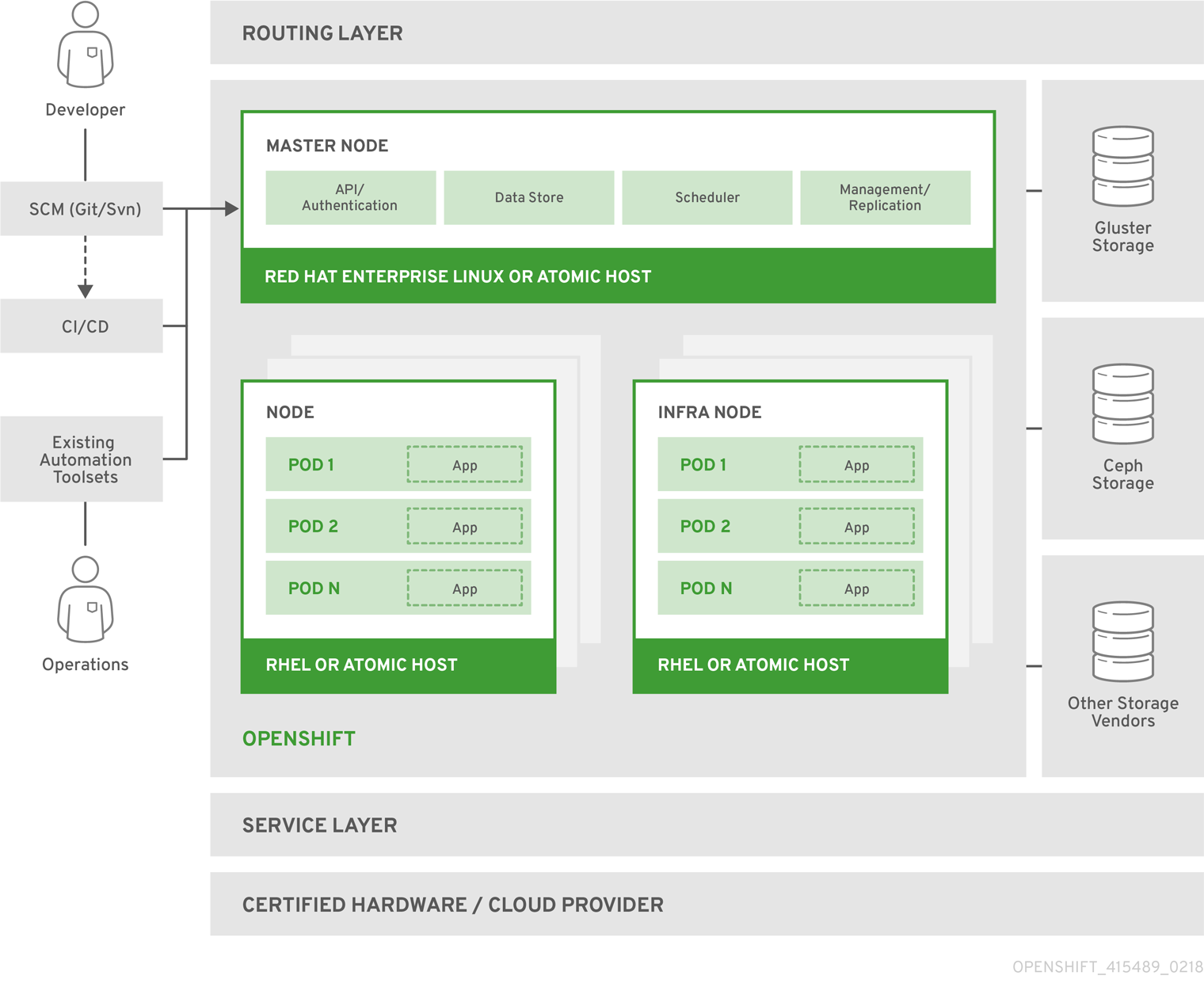
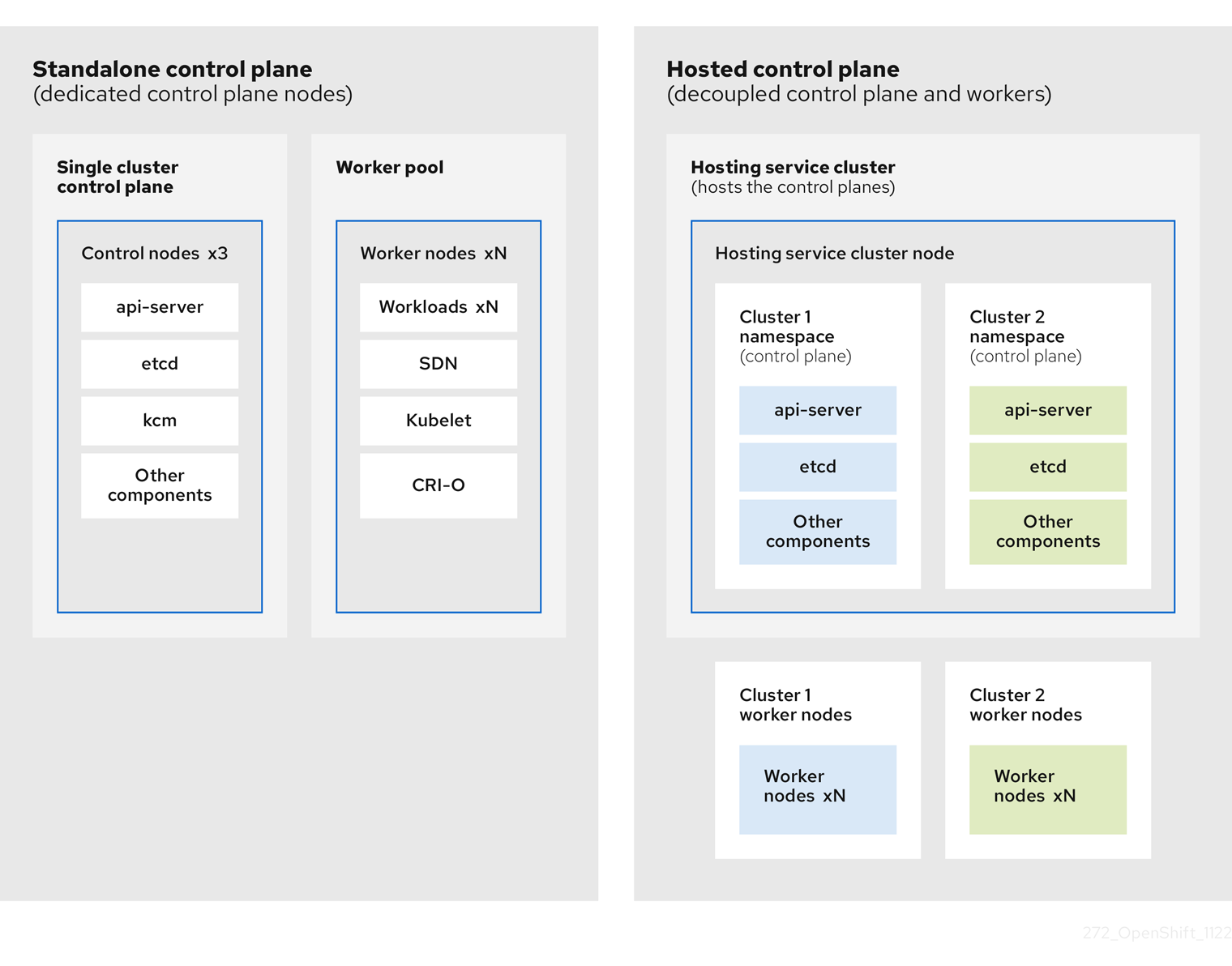
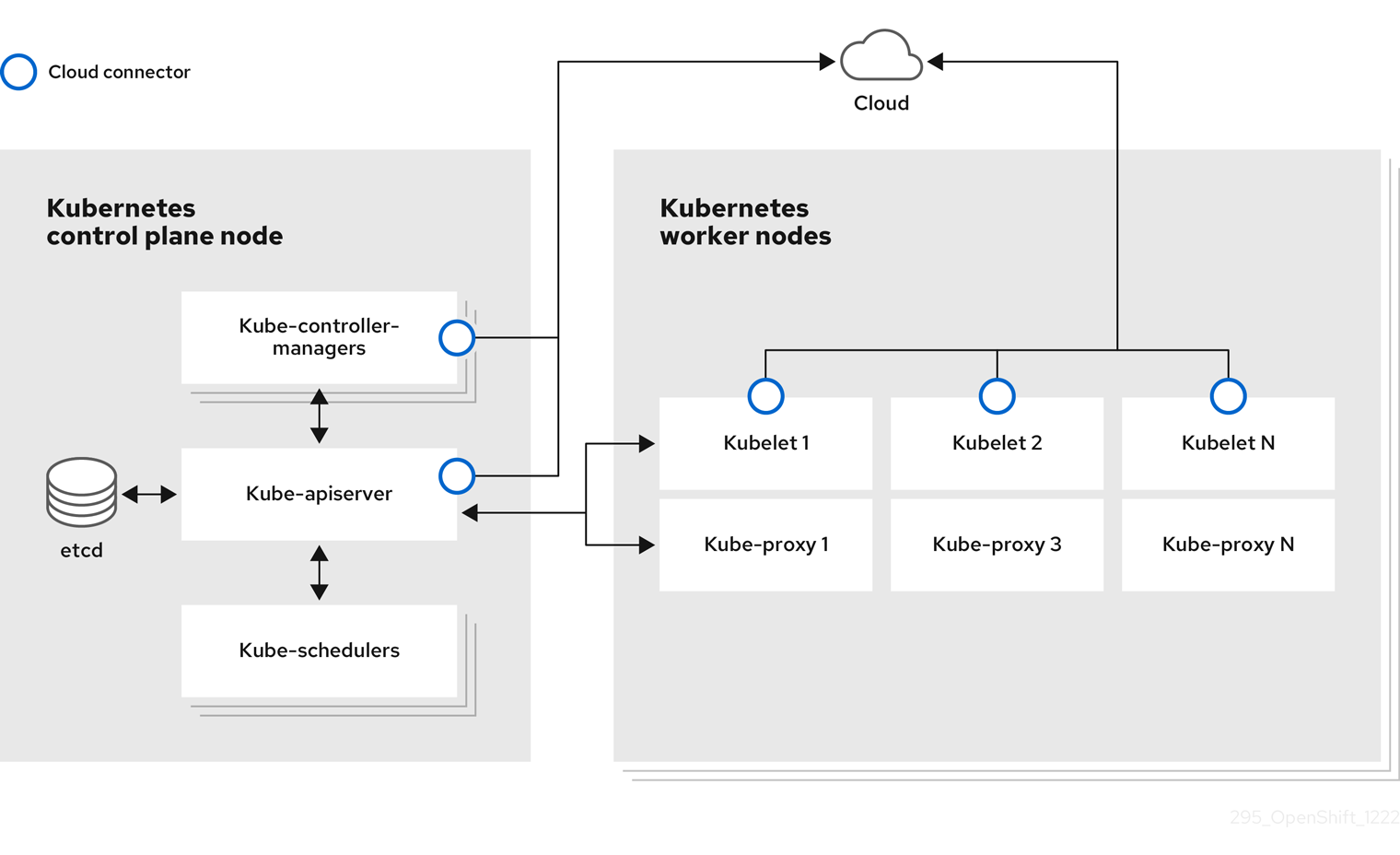
🏗️ 1️⃣ Control Plane (Master Nodes)
The brain of the cluster.
Built on top of Kubernetes
Core Kubernetes Components:
| Component | Purpose |
|---|---|
| API Server | Entry point to cluster |
| Scheduler | Decides where Pods run |
| Controller Manager | Maintains desired state |
| etcd | Cluster database |
OpenShift adds:
- Authentication server
- Web Console
- RBAC management
- Security policies
🖥️ 2️⃣ Worker Nodes
Where your applications run.
Each worker node contains:
- kubelet
- kube-proxy
- Container runtime (CRI-O)
- Pods (your apps)
Example: Your Medical backend container runs inside a Pod → inside Worker Node.
🌐 3️⃣ Routing Layer (OpenShift Feature)
Instead of Kubernetes Ingress, OpenShift uses:
👉 Routes
- Exposes services to external world
- Uses HAProxy router internally
- Auto generates public URL
Example:
📦 4️⃣ Image Management
OpenShift has built-in image handling.
ImageStreams
- Track container images
- Auto redeploy when new image pushed
Internal Registry
- Stores built images inside cluster
This is powerful for CI/CD.
🏗️ 5️⃣ Build System
OpenShift supports:
BuildConfig
Build container images directly from:
- GitHub repo
- Dockerfile
- Source code
No external Docker needed.
🔐 6️⃣ Security Components (Very Important)
OpenShift is stricter than Kubernetes.
- Security Context Constraints (SCC)
- RBAC
- OAuth authentication
- Project isolation
Containers don’t run as root by default (important interview point).
🔁 7️⃣ CI/CD (Pipelines)
Built using:
Tekton
OpenShift Pipelines allows:
- Git → Build → Deploy automation
- Full DevOps workflow inside cluster
🗄️ 8️⃣ Storage Layer
Supports:
- Persistent Volumes (PV)
- Persistent Volume Claims (PVC)
- Dynamic provisioning
- Cloud storage integration (EBS, Azure Disk, etc.)
🎯 Complete Component Flow
User → Route → Service → Pod → Worker Node Control Plane manages everything.
🔥 Interview Summary (Very Important)
OpenShift Components include:
- Control Plane (API server, Scheduler, etcd)
- Worker Nodes
- Routes
- ImageStreams
- BuildConfigs
- Internal Registry
- Security (SCC, RBAC)
- Pipelines (Tekton)