📁 Azure Files — Full Practical Tutorial

1️⃣ What Azure Files Is (1-liner)
Azure Files = managed network file system in Azure (SMB / NFS)
Used for:
- Shared uploads
- Persistent app data
- Lift-and-shift legacy apps
- Multiple apps accessing same files
2️⃣ Blob vs Azure Files (Must Know)
| Feature | Blob Storage | Azure Files |
|---|---|---|
| Storage type | Object | File system |
| Folder support | Virtual | Real folders |
| Mount to OS | ❌ | ✅ |
| Protocol | HTTP(S) | SMB / NFS |
| App Service mount | ❌ | ✅ |
👉 If you need mount → Azure Files
3️⃣ Create Azure File Share
az storage share create \
  --account-name $STORAGE \
  --name app-files \
  --quota 50 \
  --auth-mode login
✔ 50 GB shared file system ✔ Inside your existing Storage Account
4️⃣ Upload & List Files (CLI)
Upload file
az storage file upload \
  --account-name $STORAGE \
  --share-name app-files \
  --source ./config.json \
  --path config/config.json \
  --auth-mode login
List files
az storage file list \
  --account-name $STORAGE \
  --share-name app-files \
  --path config \
  --auth-mode login
5️⃣ Mount Azure Files on Linux VM (Very Common)
Step 1: Create mount directory
Step 2: Get storage key
az storage account keys list \
  --account-name $STORAGE \
  --resource-group $RESOURCE_GROUP \
  -o table
Step 3: Mount
sudo mount -t cifs \
  //$STORAGE.file.core.windows.net/app-files \
  /mnt/appfiles \
  -o vers=3.0,username=$STORAGE,password=<STORAGE_KEY>,dir_mode=0777,file_mode=0777
📌 Files now behave like local disk
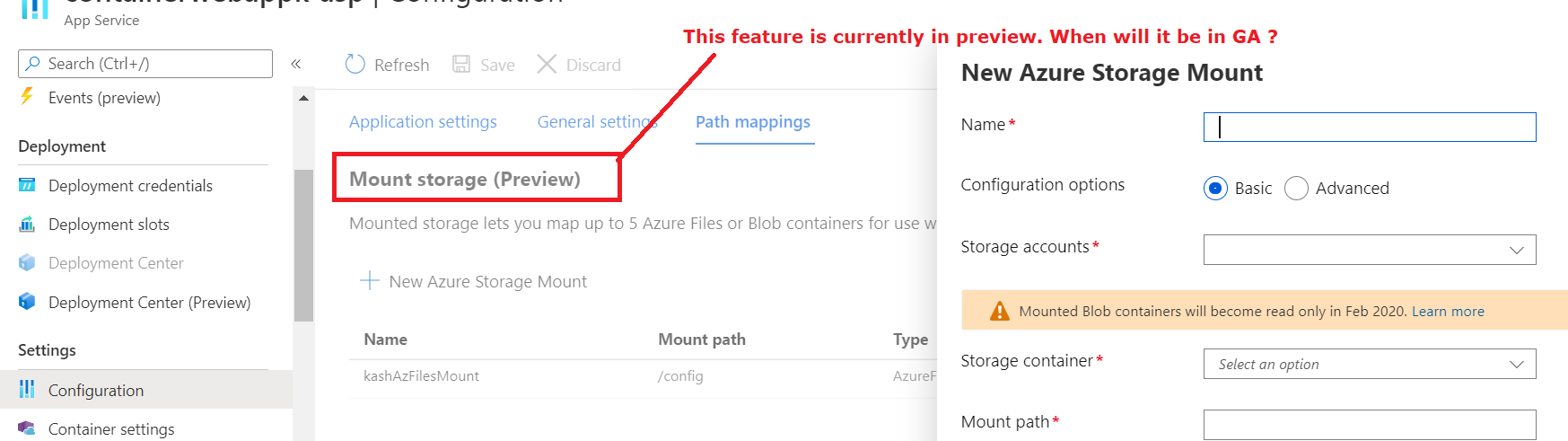
6️⃣ Mount Azure Files in Azure App Service
Portal path (important):
- App Service → Configuration
- Path mappings
-
Add Azure Files
-
Share name:
app-files - Mount path:
/mnt/files
Use in code:
✔ Persistent storage ✔ Shared across instances
7️⃣ Authentication Options (Important)
| Method | Use |
|---|---|
| Storage Account Key | Simple, common |
| Azure AD Kerberos | Enterprise |
| SAS | Temporary access |
⚠️ Managed Identity is NOT supported directly yet (unlike Blob)
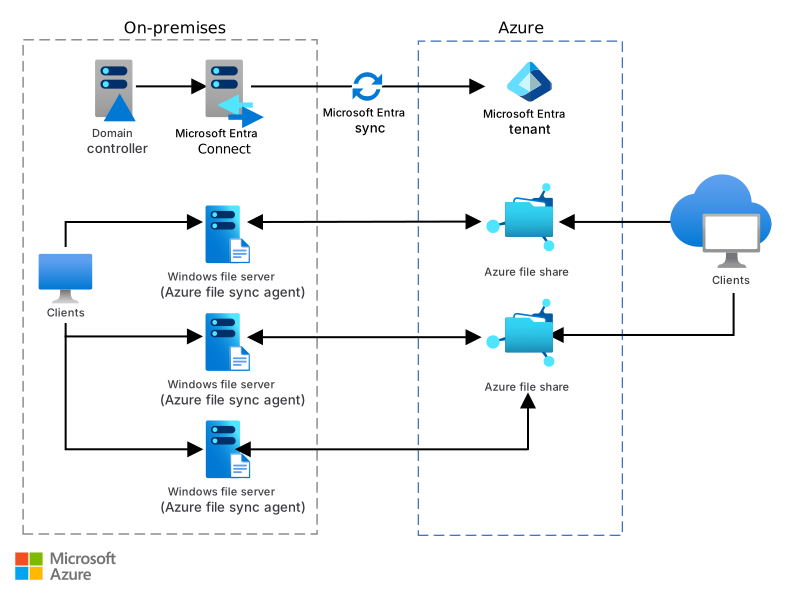
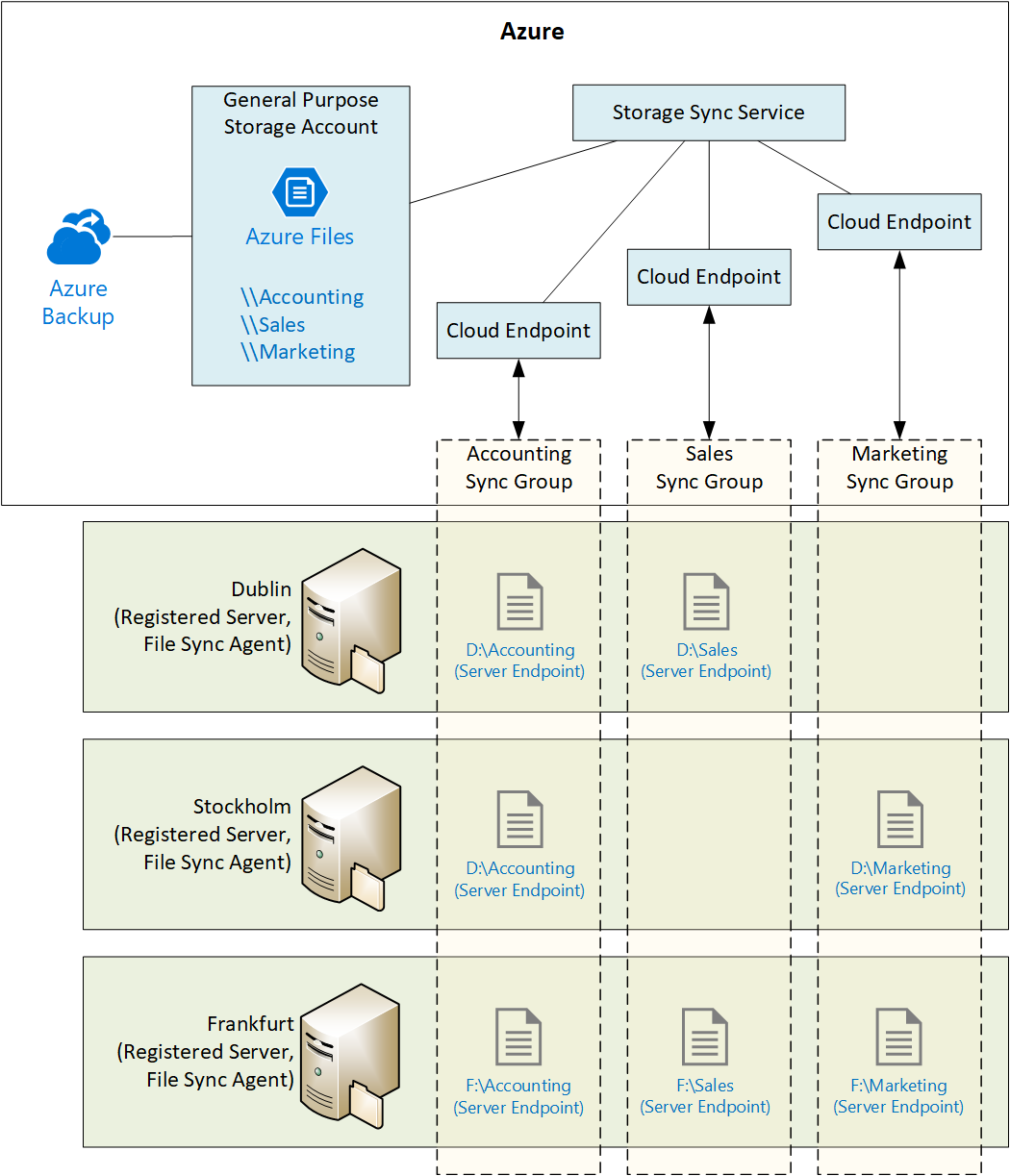
8️⃣ Azure File Sync (Hybrid Use Case)
Sync local server ↔ Azure File Share
Used when:
- On-prem server exists
- Need cloud backup
- Want local performance
Components
- Storage Sync Service
- Server Agent
- Sync Group
(We usually configure via Portal — CLI is rare here.)
9️⃣ Security Best Practices
✅ Private storage account ✅ HTTPS only ✅ Mount via private endpoint (prod) ❌ No public access ❌ No embedding storage keys in repos
🔟 Common Real-World Patterns
App uploads
Shared config
Legacy migration
🧠 Azure Files in One Sentence
Azure Files provides a shared, mountable file system in the cloud using SMB/NFS.
✅ You Now Know Azure Files
✔ When to use it ✔ How to create file shares ✔ Upload & list files ✔ Mount on VM ✔ Mount on App Service ✔ Hybrid sync concept