🐘 Azure PostgreSQL Flexible Server
FULL Tutorial — Explained Line by Line (Public + Private)
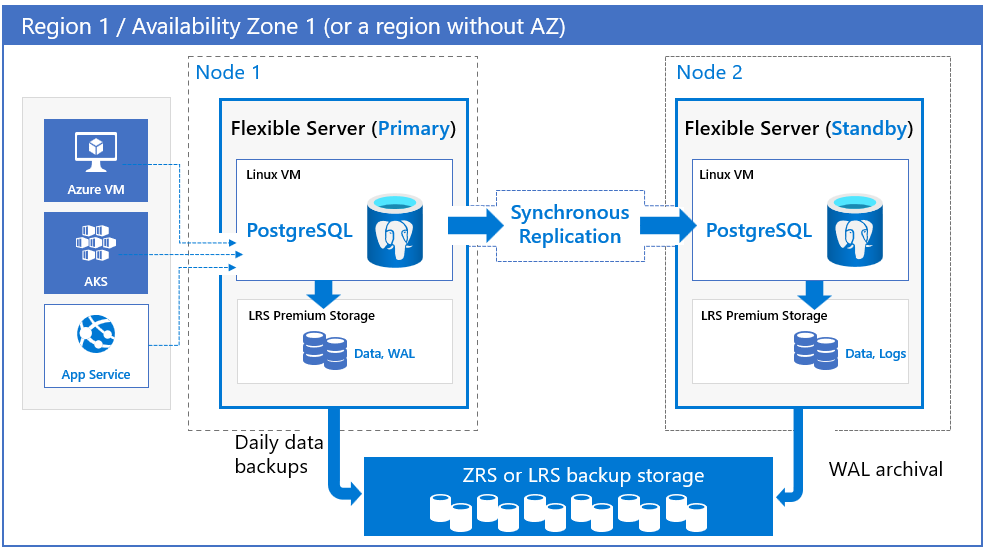

1️⃣ What Are We Building & Why?
Goal
We want one PostgreSQL server that:
- Can be accessed from your laptop / CI (public)
- Can be accessed securely from Azure services (private)
- Is backed up, scalable, and recoverable
Why BOTH public & private?
| Access | Reason |
|---|---|
| Public | Local dev, GitHub Actions, migration |
| Private | App Service, AKS, VMs (secure) |
This is very common in real companies.
2️⃣ What is Azure PostgreSQL Flexible Server?
Azure Database for PostgreSQL
It is a managed PostgreSQL service, meaning Azure manages:
- VM
- OS patching
- PostgreSQL patching
- Backups
- Failover
- Monitoring
You manage:
- Databases
- Users
- Queries
- Performance tuning
👉 This is why DevOps teams love managed DBs.
3️⃣ Architecture (Conceptually)
Laptop / CI
   |
   | (Public IP + Firewall)
   v
Azure PostgreSQL Flexible Server
   ^
   |
   | (Private Endpoint)
   |
Azure VNet (App Service / AKS / VM)
Same database, two network paths.
4️⃣ Prerequisites (WHY these are needed)
🔹 Authenticates Azure CLI with your Azure account 🔹 Required before creating resources
🔹 Installs psql
🔹 Needed to test DB connectivity
5️⃣ Create Resource Group
Explanation
| Parameter | Meaning |
|---|---|
az group create |
Create a logical container |
--name |
Resource Group name |
--location |
Where metadata/resources live |
📌 Resource Group = folder for Azure resources Delete RG → everything inside gets deleted.
6️⃣ Create PostgreSQL Flexible Server (Public Enabled)
az postgres flexible-server create \
  --resource-group rg-postgres-hybrid \
  --name pg-hybrid-server \
  --location centralindia \
  --admin-user pgadmin \
  --admin-password StrongPassword@123 \
  --sku-name Standard_D2s_v3 \
  --storage-size 64 \
  --version 15 \
  --public-access 0.0.0.0 \
  --backup-retention 14 \
  --yes
What EACH option does
| Option | Explanation |
|---|---|
flexible-server create |
Creates PostgreSQL Flexible Server |
admin-user |
Superuser (DO NOT use in app) |
sku-name |
VM size (CPU + RAM) |
storage-size |
Disk size in GB |
version |
PostgreSQL version |
public-access |
Enables internet connectivity |
backup-retention |
Days of PITR |
--yes |
Skip confirmation |
🔹 Behind the scenes
- Azure provisions a VM
- Installs PostgreSQL
- Configures backup agents
- Sets up networking
7️⃣ Secure Public Access (Firewall Rules)
Allow only YOUR IP
az postgres flexible-server firewall-rule create \
  --resource-group rg-postgres-hybrid \
  --name pg-hybrid-server \
  --rule-name allow-my-laptop \
  --start-ip-address <YOUR_IP> \
  --end-ip-address <YOUR_IP>
Explanation
| Field | Meaning |
|---|---|
| Firewall rule | Network-level security |
| Start/End IP | Allowed IP range |
🚨 Without firewall rule → connection refused
Optional: Allow Azure services
Means:
- Allow Azure-hosted services (GitHub Actions, App Service)
8️⃣ Test Public Connectivity
psql "host=pg-hybrid-server.postgres.database.azure.com \
port=5432 \
dbname=postgres \
user=pgadmin \
sslmode=require"
Why SSL?
Azure forces SSL encryption to protect data in transit.
✔ Confirms:
- DNS works
- Firewall works
- Credentials correct
9️⃣ Create Virtual Network (Private Access)
az network vnet create \
  --resource-group rg-postgres-hybrid \
  --name pg-vnet \
  --address-prefix 10.20.0.0/16 \
  --subnet-name pg-subnet \
  --subnet-prefix 10.20.1.0/24
Explanation
| Component | Purpose |
|---|---|
| VNet | Private network in Azure |
| Subnet | Network segment |
| CIDR | IP range |
🔹 Required for Private Endpoint
🔟 Create Private Endpoint
az network private-endpoint create \
  --resource-group rg-postgres-hybrid \
  --name pg-private-endpoint \
  --vnet-name pg-vnet \
  --subnet pg-subnet \
  --private-connection-resource-id <postgres-id> \
  --group-id postgresqlServer
What is a Private Endpoint?
- Assigns a private IP to PostgreSQL
- Traffic never goes over the internet
- Works like “DB inside VNet”
🔹 Behind the scenes
- NIC created
- Private IP assigned
- Azure backbone routing used
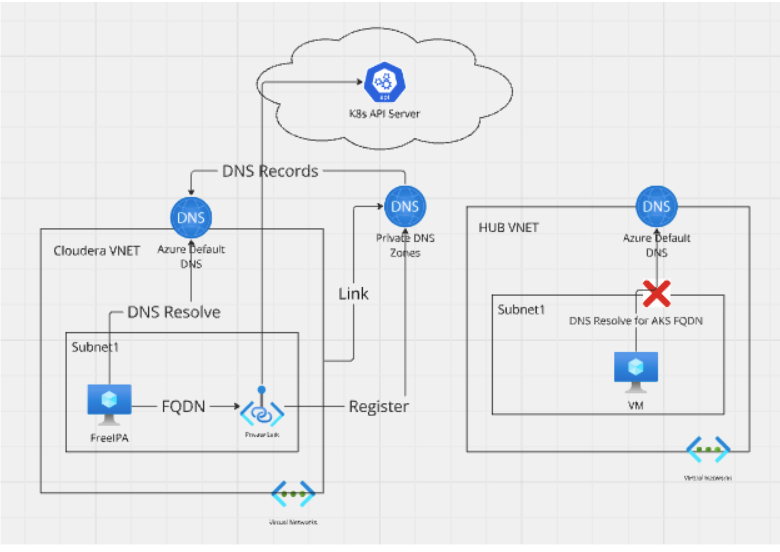
1️⃣1️⃣ Private DNS Configuration (CRITICAL)
Why?
- PostgreSQL hostname must resolve to private IP inside VNet
az network private-dns link vnet create \
  --zone-name private.postgres.database.azure.com \
  --virtual-network pg-vnet
✔ Without DNS → connection fails ✔ With DNS → seamless access
1️⃣2️⃣ Create App Database & User
CREATE DATABASE appdb;
CREATE USER appuser WITH PASSWORD 'AppUser@123';
GRANT ALL PRIVILEGES ON DATABASE appdb TO appuser;
Why?
- Admin user = dangerous
- App user = least privilege
- Security + auditing
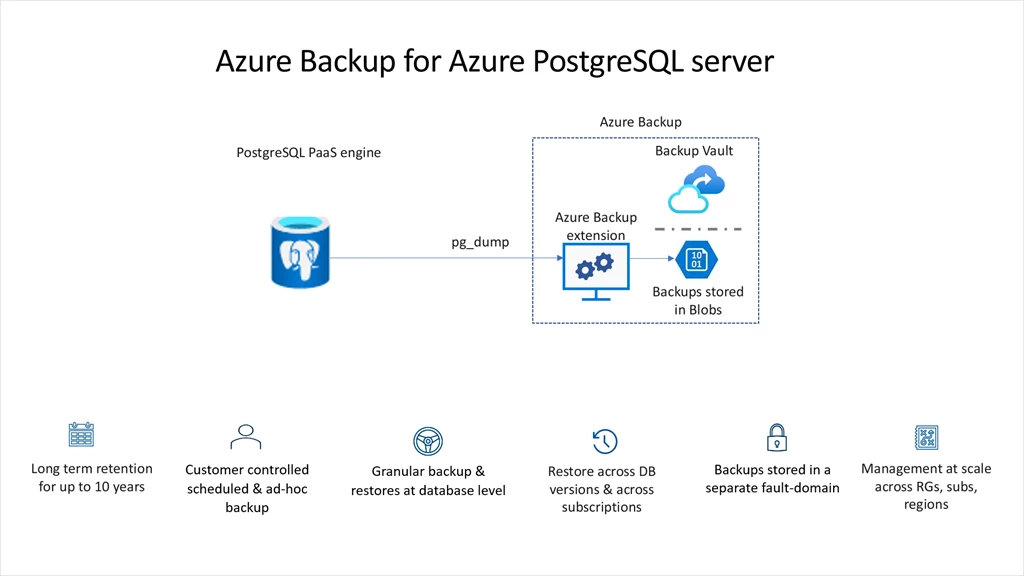
1️⃣3️⃣ Backups (Automatic)
How backups work
- Daily full backup
- Continuous WAL backups
- Stored in Azure-managed storage
- Enables Point-in-Time Restore
1️⃣4️⃣ Read Replica
az postgres flexible-server replica create \
  --name pg-hybrid-replica \
  --source-server pg-hybrid-server
Why read replicas?
- Offload SELECT queries
- Analytics & reporting
- DR readiness
🔹 Replication type: asynchronous
1️⃣5️⃣ Point-in-Time Restore (PITR)
az postgres flexible-server restore \
  --name pg-hybrid-restore \
  --restore-time "2025-01-01T10:00:00Z"
What happens?
- New server created
- Data restored to exact second
- Original server untouched
Used for:
- Accidental DELETE
- Buggy deployment
- Data corruption
1️⃣6️⃣ Monitoring & Logs
Enables:
- Query logs
- Audit trails
- Performance analysis
Viewed in:
- Azure Monitor
- Log Analytics
- Alerts
1️⃣7️⃣ Security Best Practices (Why They Matter)
✔ Firewall-restricted public access ✔ Private endpoint for Azure workloads ✔ SSL enforced ✔ Least-privilege DB users ✔ Secrets in Key Vault
This prevents:
- Data leaks
- Credential theft
- Unauthorized access
1️⃣8️⃣ When to Disable Public Access
Lifecycle strategy
| Stage | Access |
|---|---|
| Dev | Public + Private |
| Staging | Restricted public |
| Prod | Private only |
🧠 FINAL SUMMARY (IMPORTANT)
You now understand:
- Why each component exists
- What every command does
- How public & private access coexist
- How Azure handles backups & recovery
- How production PostgreSQL is designed